What Is a Password Manager & Do You Need One? (2026)

Sunil Kumar
Founder & Editor, Locitra
Wondering what is a password manager and exactly how it works? Discover the ultimate benefits of using one to improve your password security today.
Introduction
In an era where our entire lives exist in digital spaces, the question of how to protect that data has never been more urgent. From managing smart home devices connected to fast 5G networks to accessing vital financial and medical records, your digital identity hinges on one primary defense mechanism: your passwords. Yet, despite repeated warnings from experts, human psychology often drives us to use simple, memorable, and highly insecure passwords across multiple accounts. The solution to this modern dilemma? Password managers.
If you have ever stared blankly at a login screen trying to remember if you used a capital letter, a number, or a special symbol for this specific website, you have experienced password fatigue. This guide will walk you through exactly what a password manager is, the intricate details of how it works, and answer the ultimate question: do you really need one in 2026?
What Is a Password Manager?
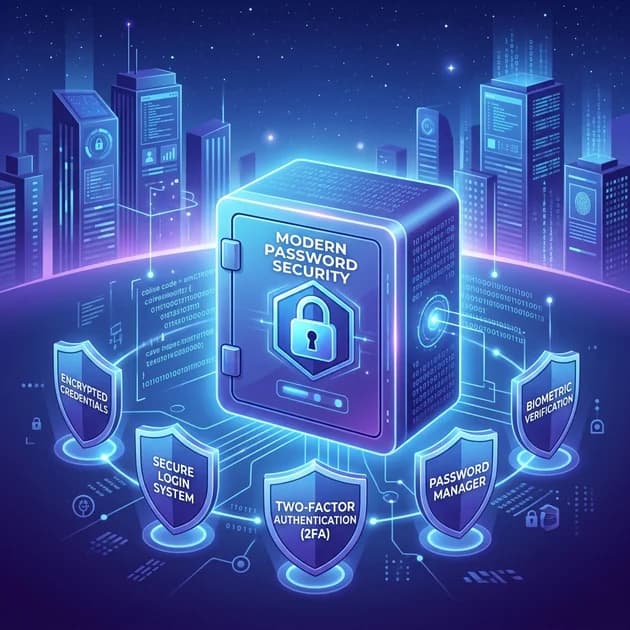
At its core, a password manager is a specialized software application designed to generate, securely store, and organize all your passwords and sensitive credentials in one centralized, encrypted digital repository. Think of it as an ultra-secure, digital safe where you keep the keys to every single room in your digital house.
Instead of relying on human memory to recall dozens, if not hundreds, of complex character strings, a password manager requires you to remember only one thing: your "Master Password." This Master Password acts as the sole key to unlock your digital vault. Once unlocked, the password manager seamlessly works in the background, automatically filling in your credentials whenever you attempt to log into a website or application.
But modern password managers are more than just digital notebooks. As an essential component of robust online cybersecurity, they actively audit your existing passwords, alerting you to weak or compromised credentials. They can store secure notes, credit card information, passport details, and even manage two-factor authentication (2FA) codes. They eliminate the weakest link in digital security—the human element—by automating the creation and application of cryptographically complex passwords that are impossible for humans to guess and exceedingly difficult for computers to crack.
How Password Managers Work
Understanding the mechanics behind password management software can alleviate concerns about placing all your digital eggs in one basket. Here is a breakdown of the core functionalities that power these cybersecurity tools.
Password Vaults
The foundation of any password manager is its "vault." The vault is the encrypted database where your information is stored. Every time you create a new account or save a password, a new entry is added to this vault. Modern vaults are highly organized, allowing you to categorize entries (e.g., Finance, Social Media, Work) and store much more than just passwords—including secure files, identity information, and custom fields.
Encryption
Encryption is what makes password managers safe. Reputable managers use Advanced Encryption Standard (AES) with 256-bit keys or similar robust algorithms like XChaCha20. This is military-grade encryption. The critical aspect is "zero-knowledge architecture." This means the encryption and decryption processes happen locally on your device (your smartphone or computer).
When your vault is synced to the provider's servers—which utilize highly secure cloud computing infrastructure—it is transmitted and stored as an unreadable, jumbled mess of ciphertext. The provider does not know your Master Password, and therefore, they cannot unlock your vault. Only you hold the decryption key.
Auto-Fill
The most visible and convenient feature of a password manager is auto-fill. Password managers operate through browser extensions or native mobile apps that integrate deeply with operating systems. When you visit a login page, the manager analyzes the URL. If it finds a matching entry in your unlocked vault, it securely injects the username and password directly into the login fields. This not only saves time but also protects against phishing attacks, as the manager will refuse to auto-fill your credentials on a fake website designed to steal your information.
Password Generation
When you register for a new service, the password manager steps in with its integrated password generator. Instead of you coming up with a password like Password123!, the generator creates a randomized string of characters, such as k7#Lp9$vQ2z@mX5nY1!w. You don't need to know what this password is; the manager automatically saves it to your vault and will auto-fill it the next time you log in.
Types of Password Managers
Not all password managers are built the same. They generally fall into three broad categories, each with its own advantages and use cases.
Cloud-Based Password Managers
These are the most popular and versatile types of password managers (e.g., 1Password, Bitwarden, Dashlane). The encrypted vault is synced across the provider's cloud servers, ensuring that your passwords are automatically updated and available on all your devices—from your desktop at work to your smartphone on the go.
Pros: Excellent multi-device syncing, ease of use, automated backups. Cons: Requires placing trust in a third-party server infrastructure (mitigated by zero-knowledge encryption).
Local Password Managers
Local, or offline, password managers (like KeePass) store your encrypted database exclusively on your local hard drive. They never connect to the internet to sync your data.
Pros: Maximum control over your data; immune to cloud server breaches. Cons: You are entirely responsible for backing up your vault. Syncing across devices requires manual effort or setting up your own sync solution (like Dropbox or a local network).
Browser Password Managers
These are built directly into web browsers like Google Chrome, Safari, or Mozilla Firefox. They offer basic password saving and auto-fill functionalities.
Pros: Convenient, completely free, and already installed. Cons: Lacks advanced security features, difficult to use across different browsers (e.g., syncing Safari passwords to a Windows machine), and often less secure if the device itself is compromised.
Why Password Security Matters
The necessity of password security has grown exponentially alongside our reliance on the internet. Cybercriminals use sophisticated automated tools that can attempt millions of password combinations per second—a technique known as "brute forcing." If your password is short, common, or uses recognizable words, it can be cracked in seconds.
Furthermore, data breaches are a daily occurrence. When a website is hacked, its database of usernames and passwords is often leaked or sold on the dark web. If you use the same password across multiple sites (password reuse), a breach on an obscure, poorly secured forum could give hackers the key to your primary email or bank account. A password manager ensures that every account has a unique, strong password, isolating the damage if any single service is compromised.
Benefits of Using a Password Manager
The advantages of adopting a password management solution extend far beyond simply not having to remember things.
Stronger Passwords
By outsourcing password creation to a random generator, you instantly elevate your security posture. A 20-character randomized password takes virtually an eternity to crack using current computing power.
Better Security
Beyond strong passwords, managers provide a holistic security umbrella. They warn you about reused passwords, monitor the dark web for your compromised credentials, and protect against phishing by only auto-filling on verified domains.
Convenience
The friction of logging into websites is entirely removed. You don't have to deal with password reset emails, you don't have to type out long strings on a tiny smartphone keyboard, and you can securely share access with family members or colleagues with a few clicks.
Multi-Device Access
Modern users switch seamlessly between laptops, tablets, and phones. A cloud-based password manager ensures your credentials travel with you securely, providing a frictionless experience across all operating systems and browsers.
Potential Drawbacks
While the benefits heavily outweigh the negatives, it is important to be aware of the potential drawbacks.
- Single Point of Failure: If you forget your Master Password, you lose access to everything. Zero-knowledge architecture means the provider cannot reset it for you.
- The "All Eggs in One Basket" Fear: If a hacker were to somehow obtain your Master Password and bypass your Two-Factor Authentication (2FA), they would have access to your entire digital life.
- Initial Setup Time: Migrating from memory or a browser manager to a dedicated tool requires an initial investment of time to update weak passwords and organize your vault.
Are Password Managers Safe?
Yes, reputable password managers are exceptionally safe. Their entire business model relies on maintaining impenetrable security. The use of zero-knowledge architecture means that even if the provider's servers are successfully hacked, the attackers will only obtain encrypted blobs of data. Without your Master Password, the data remains mathematically locked.
The biggest vulnerability in using a password manager is the user. To maximize safety:
- Create a strong, memorable, and entirely unique Master Password (consider using a "passphrase" of four random words).
- Enable Two-Factor Authentication (2FA) or Multi-Factor Authentication (MFA) on your password manager account. This ensures that even if someone learns your Master Password, they cannot access your vault without your physical device.
Do You Really Need a Password Manager?
In 2026, the answer is a resounding yes.
The sheer volume of accounts we manage makes it impossible to maintain adequate security through human memory alone. If you are reusing passwords, using variations of the same password, or writing them down on sticky notes, your digital identity is at significant risk. A password manager is no longer a tool just for tech enthusiasts; it is a fundamental utility for modern life, akin to locking the front door of your house.
Best Password Managers to Consider
If you're ready to take the plunge, there are several excellent options available. For a deep dive into the specifics, read our comprehensive guide on the best password managers in 2026. Here is a brief overview:
- Bitwarden: The best open-source option. It offers an incredibly generous free tier that includes unlimited passwords and multi-device sync.
- 1Password: Widely considered the premium choice for user experience and design. It features a unique "Secret Key" for added security, though it lacks a free tier.
- Dashlane: Positions itself as a comprehensive security suite, often bundling a VPN and live dark web monitoring with its sleek password manager interface.
- NordPass: Brought to you by the creators of NordVPN, it uses modern XChaCha20 encryption and offers an intuitive, user-friendly experience.
- Keeper: Known for its robust enterprise-grade security and highly customizable record fields, making it excellent for power users who want granular control.
Comparison Overview
| Password Manager Type | Pros | Cons |
|---|---|---|
| Cloud-Based (e.g., 1Password, Bitwarden) | Seamless multi-device sync, easy to use, automatic backups. | Requires trust in cloud providers; requires internet for initial sync. |
| Local (e.g., KeePass) | Ultimate control over data; entirely offline. | Difficult to sync across devices; you are responsible for backups. |
| Browser-Based (e.g., Chrome, Safari) | Free, convenient, no installation required. | Locked into one ecosystem; lacks advanced security and sharing features. |
Frequently Asked Questions
What happens if my password manager gets hacked?
If a reputable password manager's servers are breached, the hackers only steal encrypted data. Because of zero-knowledge architecture, they do not have your Master Password, making the stolen data completely unreadable and useless to them.
Is it safe to store my credit card information in a password manager?
Yes. The same high-level, military-grade encryption that protects your passwords also protects any payment information or secure notes you store in your vault. It is significantly safer than saving your credit card information directly in your web browser.
Can I recover my Master Password if I forget it?
Generally, no. Because password managers cannot see or store your Master Password, they cannot reset it for you. If you lose it, you lose access to your vault. Many providers offer emergency access features or printable recovery kits that you must set up beforehand to prevent total data loss.
Final Thoughts
The initial setup of a password manager—exporting old passwords, creating a secure Master Password, and generating new, complex strings for your most important accounts—might seem daunting. However, it is a one-time investment that pays massive dividends in both peace of mind and digital security.
In a world where cybersecurity threats are evolving daily, relying on a password manager is the single most effective step you can take to protect your digital footprint. Start with a reputable, free option like Bitwarden, and take control of your online security today.
Related Articles
Weekly Intelligence
Stay Ahead of the Curve
AI tools, technology trends, digital income strategies and creator success stories — curated every week, always free.
No spam. Unsubscribe anytime.
Keep Reading
Related Articles
1Password Review (2026): Is It Worth the Investment?
Read our in-depth 1Password review for 2026. We cover its advanced security features, subscription pricing, and whether it is really worth it.
Bitwarden Review (2026): Best Free Password Manager?
Read our comprehensive 2026 Bitwarden review. Discover why it ranks as a top free password manager, and explore its security features and pricing.
Best Password Managers in 2026: A Full Comparison
Read our detailed comparison of the best password managers in 2026. We explore key features and evaluate security to help you find your match.