Best Password Managers in 2026: A Full Comparison

Sunil Kumar Uikey
Founder & Editor-in-Chief
Read our detailed comparison of the best password managers in 2026. We explore key features and evaluate security to help you find your match.
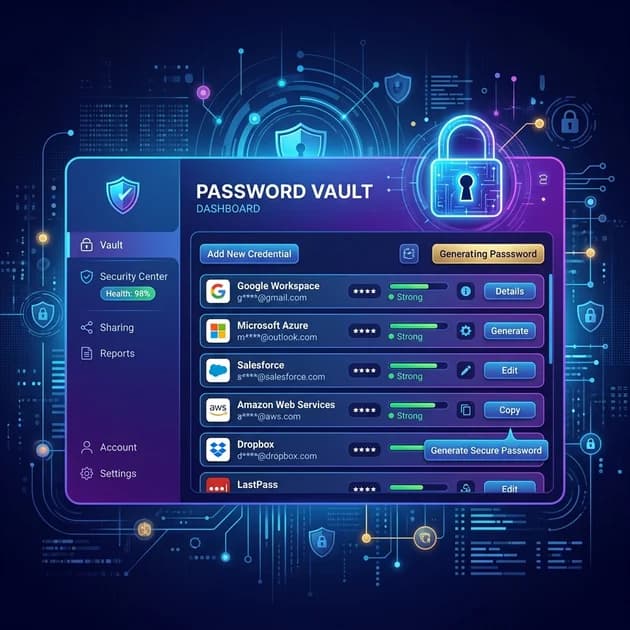
Introduction
Pricing & Feature Verification: Cybersecurity tools frequently update their security features, platform compatibility, and subscription tiers. The details in this comparison reflect the capabilities and pricing of Bitwarden, 1Password, Dashlane, NordPass, and Keeper as of July 2026. Always verify the most current limits and plans directly on the providers' official websites before making a purchase.
As we navigate through 2026, the volume of digital accounts the average person manages has skyrocketed. Remembering unique, complex passwords for every single login is no longer just difficult—it’s humanly impossible. That's where password managers come in.
Choosing the right password manager is one of the most critical decisions you can make for your online cybersecurity. With cyber threats becoming more sophisticated, relying on your browser's built-in autofill or using the same password across multiple sites is a massive security risk.
In this comprehensive guide, we will compare the best password managers in 2026, looking at their features, pricing, security architecture, and overall user experience to help you find the perfect fit for your needs.
Why Password Managers Matter
The internet of 2026 is deeply interconnected. From smart home devices relying on IoT technology to advanced cloud-based productivity apps, your digital footprint is vast. A single compromised password can lead to a cascading failure of your digital identity if you reuse credentials.
A password manager solves this by generating, storing, and auto-filling highly secure, unique passwords for every account you own. You only need to remember one strong "Master Password" to unlock your encrypted vault.
By using a password manager, you:
- Eliminate Password Fatigue: Never forget a login again.
- Prevent Phishing: Password managers won't auto-fill on fraudulent sites.
- Enhance Security: Use random 20+ character passwords for everything.
- Secure Sharing: Safely share passwords with family or colleagues without sending them in plain text.
How Password Managers Work
Modern password managers use zero-knowledge architecture. This means your data is encrypted and decrypted locally on your device using your Master Password. The service provider only stores the encrypted "blob" on their servers—which run on robust cloud computing infrastructure—but they never possess the key to unlock it.
When you attempt to log in to a website, the password manager extension or app retrieves the correct credentials from your locally decrypted vault and securely injects them into the login fields. Advanced managers also sync seamlessly across devices, ensuring you have access to your passwords whether you're on a desktop over Wi-Fi or a smartphone utilizing fast 5G networks.
How We Evaluated These Password Managers
To ensure our software reviews meet the highest editorial standards, we evaluated dozens of password managers based on the following criteria:
- Security & Encryption: Must use AES-256 bit encryption or higher (like XChaCha20) and zero-knowledge architecture.
- Ease of Use: Must have intuitive apps across all major platforms (Windows, macOS, iOS, Android, Linux) and popular browsers.
- Features: Autofill accuracy, passkey support, dark web monitoring, secure sharing, and MFA/2FA options.
- Pricing & Value: Fair pricing structures, generous free tiers (where applicable), and worthwhile premium plans.
- Customer Support: Responsiveness and helpfulness of support channels.
Best Password Managers in 2026
Here are the top password managers you should consider in 2026, carefully tested and reviewed.
Bitwarden
Overview
Bitwarden has cemented its place as the darling of the cybersecurity community. It is open-source, highly transparent, and offers arguably the best free tier of any password manager on the market. In 2026, Bitwarden has polished its interface, making it not just a tool for tech-savvy users, but for everyone.
Key Features
- Open-source architecture with regular third-party audits.
- Unlimited password storage and unlimited device sync on the free plan.
- Built-in passkey management.
- Bitwarden Send for secure, ephemeral text and file sharing.
- Self-hosting options available for advanced users.
Pros
- Unmatched free plan.
- Extremely transparent security model.
- Very affordable premium plan.
- Broad cross-platform support including command-line interfaces.
Cons
- The user interface, while improved, is still slightly more utilitarian than rivals like 1Password.
- Some advanced features require technical knowledge to set up.
Pricing Overview
- Free: $0 (Unlimited passwords, unlimited devices).
- Premium: ~$20/year (Adds advanced 2FA, 1GB encrypted storage, emergency access).
- Families: ~$48/year (Up to 6 users).
Best For
Anyone on a budget, open-source enthusiasts, and security purists.
1Password
Overview
1Password consistently ranks as the most polished, user-friendly password manager available. It doesn't offer a free tier, but its premium experience justifies the cost. For 2026, 1Password has aggressively expanded its developer tools and passkey support, making it a powerhouse for both personal and professional use.
Key Features
- Secret Key architecture (adds an extra 34-character local key required alongside your master password).
- Watchtower: Comprehensive password auditing and data breach alerts.
- Universal Autofill on Mac and Windows.
- Travel Mode: Temporarily removes sensitive vaults from your devices when crossing borders.
- Excellent integration with developer workflows (SSH keys, CLI).
Pros
- Best-in-class user interface and user experience.
- Unparalleled security architecture with the Secret Key.
- Travel Mode is a unique and valuable feature for international travelers.
- Outstanding customer support.
Cons
- No free version available (only a 14-day trial).
- Can be more expensive than competitors over time.
Pricing Overview
- Individual: ~$48/year.
- Families: ~$72/year (Up to 5 users, guest accounts).
Best For
Mac/iOS users, families seeking a seamless experience, and professionals willing to pay for premium design and security.
Dashlane
Overview
Dashlane positions itself as more than just a password manager; it's a comprehensive digital identity protection suite. In 2026, it continues to offer bundled features like a VPN and live dark web monitoring, making it an all-in-one security solution.
Key Features
- Included VPN for Wi-Fi protection.
- Live Dark Web monitoring with instant alerts.
- One-click password changer for supported websites.
- Secure document storage.
- Comprehensive password health scores.
Pros
- Excellent automated password changing tools.
- The bundled VPN provides good value if you don't already have one.
- Very sleek, modern interface.
- Strong autofill performance.
Cons
- The most expensive option on our list.
- The free version is severely limited (max 50 passwords, 1 device).
- No desktop apps (transitioned fully to web-first/extension-first).
Pricing Overview
- Free: $0 (50 passwords, 1 device).
- Premium: ~$60/year (Unlimited devices, VPN, Dark Web monitoring).
- Friends & Family: ~$90/year (Up to 10 users).
Best For
Users who want an all-in-one security package (Password Manager + VPN) and prefer automated tools.
NordPass
Overview
Brought to you by the team behind NordVPN, NordPass utilizes a newer encryption standard called XChaCha20, which is considered highly secure and faster on mobile devices. It's incredibly user-friendly and frequently offers steep discounts.
Key Features
- XChaCha20 encryption.
- Data Breach Scanner.
- Inherent integration with the broader Nord security ecosystem.
- Secure password and item sharing.
- Passkey support.
Pros
- Extremely modern, intuitive interface.
- Modern encryption standards.
- Frequent multi-year subscription discounts.
- Good autofill capabilities.
Cons
- Free version is limited to one active device connection at a time.
- Organization and tagging features are somewhat basic compared to 1Password.
Pricing Overview
- Free: $0 (Unlimited passwords, but only 1 active device at a time).
- Premium: ~$18-30/year (depending on sales/promos; covers unlimited active devices).
- Family: ~$35-60/year (Up to 6 users).
Best For
Users looking for a modern, highly secure interface and those who already use NordVPN.
Keeper
Overview
Keeper is a veteran in the password management space, renowned for its enterprise-grade security and highly customizable records. It caters well to users who want granular control over their secure data and an interface that prioritizes function.
Key Features
- KeeperFill for robust autofill across apps and browsers.
- Custom fields and record types.
- BreachWatch (add-on for dark web monitoring).
- Secure messaging app (KeeperChat) available.
- FIPS 140-2 validated, highly compliant security architecture.
Pros
- Deeply customizable data entry fields.
- Strong track record of enterprise-level security.
- Excellent granular sharing controls.
Cons
- Interface feels a bit dated compared to 1Password or Dashlane.
- Many premium features (like BreachWatch or secure storage) are sold as extra add-ons.
- Free version is virtually unusable as it only works on one local device without sync.
Pricing Overview
- Free: $0 (1 device only, no sync).
- Unlimited: ~$35/year.
- Family: ~$75/year (Up to 5 users).
- Note: Add-ons like BreachWatch cost extra.
Best For
Power users who need deep customizability and enterprise-level compliance and security controls.
Comparison Table
| Feature | Bitwarden | 1Password | Dashlane | NordPass | Keeper |
|---|---|---|---|---|---|
| Free Plan | Yes (Unlimited sync) | No (Trial only) | Yes (50 passwords) | Yes (1 active device) | Yes (1 device, local) |
| Paid Plan (Individual) | ~$20/year | ~$48/year | ~$60/year | ~$30/year | ~$35/year |
| Platforms | Win, Mac, Lin, iOS, And, Web | Win, Mac, Lin, iOS, And, Web | Win, Mac, iOS, And, Web | Win, Mac, Lin, iOS, And, Web | Win, Mac, Lin, iOS, And, Web |
| Security Architecture | AES-256, Zero-Knowledge | AES-256 + Secret Key | AES-256, Zero-Knowledge | XChaCha20, Zero-Knowledge | AES-256, Zero-Knowledge |
| Family Plan Cost | ~$48/year (6 users) | ~$72/year (5 users) | ~$90/year (10 users) | ~$60/year (6 users) | ~$75/year (5 users) |
| Passkey Support | Yes | Yes | Yes | Yes | Yes |
⭐ Locitra Recommendation Matrix
| If your priority is... | You should choose... | Because... |
|---|---|---|
| Maximum Security & Polish | 1Password | It offers the proprietary Secret Key, best-in-class UX, and passkey vault unlocking. |
| Best Free Tier & Open Source | Bitwarden | It provides unlimited passwords and sync across all devices entirely for free. |
| All-in-One Suite with VPN | Dashlane | It bundles a highly capable VPN and premium dark web monitoring. |
| Budget Friendly & Easy | NordPass | It utilizes XChaCha20 encryption and integrates seamlessly with the Nord ecosystem. |
| Deep Customization & IT | Keeper | It provides granular control over secure data and enterprise-grade compliance. |
Which Password Manager Should You Choose?
Selecting the right password manager depends entirely on your specific needs, budget, and technical comfort level. Interestingly, much like choosing the best AI tools for teachers in 2026, there is no single "best" option—only the best option for you.
- If you want the best free option: Bitwarden is an exceptional choice. Its free tier offers everything an average user needs, including unlimited devices and passwords.
- If you want the best overall experience and security: 1Password is worth the subscription cost. The user experience is highly refined, and the Secret Key adds a layer of security that competitors lack. If you are comparing password managers the way tech enthusiasts compare ChatGPT vs Gemini in 2026, 1Password is consistently the premium standard.
- If you want an all-in-one security bundle: Dashlane provides excellent value with its included VPN and live dark web monitoring, justifying its higher price point.
Frequently Asked Questions
Can password managers be hacked?
While any system can theoretically be targeted, reputable password managers use zero-knowledge encryption. This means even if their servers are breached, hackers only get encrypted data. Without your Master Password, they cannot read your passwords. The biggest risk is usually a weak Master Password or phishing attacks targeting the user directly.
What happens if I forget my Master Password?
Because of zero-knowledge architecture, password manager companies cannot reset or recover your Master Password for you. If you forget it, you will likely lose access to your vault. Most services offer emergency recovery kits or emergency access contacts that you must set up beforehand. Always store your Master Password in a secure, physical location (like a safe).
Are built-in browser password managers (like Chrome or Safari) enough?
While better than reusing passwords, browser-based managers are tied to that specific ecosystem, making it hard to switch devices or browsers. Dedicated password managers offer stronger encryption, better cross-platform support, secure sharing features, and specialized tools like passkey management and dark web scanning.
Final Thoughts
In 2026, using a password manager is non-negotiable for digital hygiene. The security risks of reused or weak passwords are simply too high.
Start by downloading Bitwarden if you want to test the waters for free, or jump straight into 1Password if you want the most refined experience. Whichever tool you choose, the most important step is simply taking action and migrating your accounts to unique, generated passwords today. Your digital life depends on it.
Related Articles
- What Is a Password Manager and Do You Really Need One? (2026)
- Keeper Review (2026): Is It the Best Password Manager?
- Best VPN Services in 2026: Which One Should You Choose?
- What Is Cybersecurity? A Beginner's Guide to Staying Safe Online (2026)
- What Is Cloud Computing? A Beginner's Guide to the Cloud (2026)
Enjoyed this article?
Get practical AI tools, technology insights, software reviews, career growth advice, and online income strategies delivered to your inbox.
Keep Reading
Related Articles

Dashlane Review (2026): The Ultimate Security Suite
Read our comprehensive Dashlane review for 2026. We evaluate its included VPN, advanced dark web monitoring, and FIDO passkey support to see if it justifies the premium price.

How to Securely Migrate Your Passwords in 2026
Switching password managers? Learn how to securely export, migrate, and audit your passwords without exposing your digital identity to hackers.

NordPass Review (2026): Security Meets Simplicity
Read our comprehensive NordPass review for 2026. We evaluate its XChaCha20 encryption, pricing, and passkey features to see if it is the right manager for you.
1Password Review (2026): Is It Worth the Investment?
Read our in-depth 1Password review for 2026. We cover its advanced security features, subscription pricing, and whether it is really worth it.

Digital Identity Explained: How Online Identity and Verification Work in 2026
A comprehensive guide to digital identity explained. Discover how online verification works, modern authentication methods, and the future of digital trust in 2026.

Best AI Writing Tools (2026): Top AI Writing Assistants Compared
Compare the best AI writing tools in 2026, including ChatGPT, Claude, Gemini, Jasper AI, Grammarly, and QuillBot. Discover features, pricing, strengths, limitations, and ideal use cases.