1Password Review (2026): Is It Worth the Investment?

Sunil Kumar Uikey
Founder & Editor-in-Chief
Read our in-depth 1Password review for 2026. We cover its advanced security features, subscription pricing, and whether it is really worth it.
Introduction
Pricing & Feature Verification: Cybersecurity software frequently updates its security features, platform capabilities, and subscription plans. The details in this review reflect 1Password's features, passkey support, and pricing as of July 2026. For the most current limits, plans, and platform support, always verify directly on the official 1Password website.
In the ever-evolving landscape of digital security, protecting your online identity is no longer an option—it's an absolute necessity. With data breaches making headlines almost daily and cybercriminals deploying sophisticated automated attacks, relying on your memory or a physical notebook to store passwords is a recipe for disaster. This is where password managers step in, acting as your digital bodyguard.
Among the countless options available, 1Password has consistently stood out as a premier choice. For over a decade, it has built a reputation not just for robust security, but for a user experience that makes digital hygiene feel almost effortless. In 2026, 1Password remains highly sought after, but it faces fierce competition from heavily subsidized or entirely free alternatives.
So, in a world where you can get excellent security for free, is 1Password worth the premium price tag? In this comprehensive 1Password review for 2026, we will dive deep into its core features, analyze its unique security architecture, compare it directly to its rivals, and help you determine if it is the right choice for your online cybersecurity strategy.
What Is 1Password?
At its core, 1Password is a premium password management service developed by AgileBits. If you are still asking yourself, "What is a password manager and why do I need one?", 1Password is arguably the best example to study. It acts as a secure, encrypted digital vault where you can store your passwords, credit card details, secure notes, software licenses, and even sensitive documents like passport scans.
Unlike browser-based password savers (like Chrome or Safari), 1Password is a dedicated, cross-platform application. It syncs your encrypted data across your Windows PC, Mac, iPhone, Android device, and Linux machines via secure cloud computing infrastructure. The philosophy behind 1Password is simple: you only ever need to remember one strong Master Password; the software handles the rest, generating, storing, and auto-filling complex, uncrackable passwords for every site you visit.
Key Features of 1Password
1Password doesn’t just store passwords; it actively manages your digital life. Here are the standout features that define the 1Password experience in 2026.
Password Vault
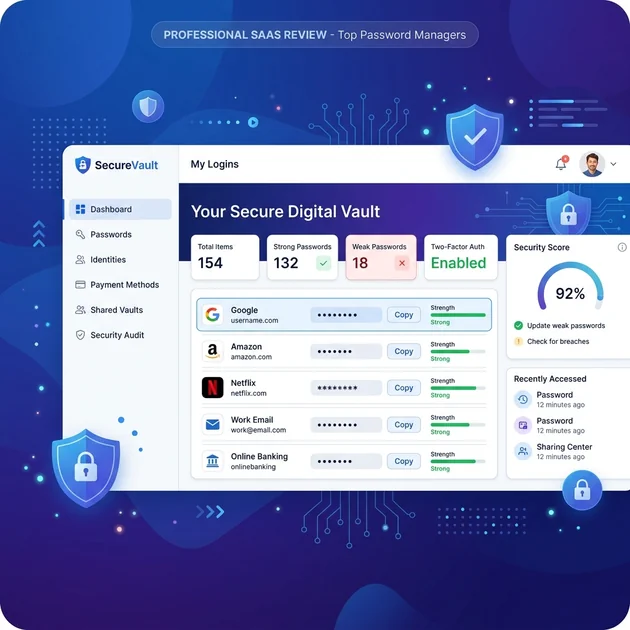
The 1Password vault is incredibly intuitive and beautifully designed. Unlike some competitors that feel like complex databases, 1Password feels like a native app on every platform. You can easily organize your digital life into multiple vaults (e.g., "Personal," "Work," "Finance"), making it simple to separate different aspects of your life or securely share specific vaults with family members.
Watchtower Security Monitoring
Watchtower is 1Password’s built-in digital auditor, and it is a massive selling point. It constantly scans your vault and alerts you to potential security risks. It will explicitly warn you if you have weak passwords, reused passwords, or if a website you use has recently been compromised in a data breach. It even alerts you when saved credit cards or passports are about to expire, acting as a proactive digital assistant.
Travel Mode
Travel Mode is a feature unique to 1Password and is indispensable for frequent flyers, journalists, or business executives. When you cross international borders, border control agents sometimes demand access to your unlocked devices. By enabling Travel Mode via your web dashboard before you fly, 1Password temporarily removes any vaults marked as "sensitive" from your physical devices. Once you arrive safely, you can turn Travel Mode off, and your vaults will securely sync back.
Secure Sharing
Sharing passwords over text or email is a massive security risk. 1Password addresses this with its Secure Sharing feature. You can generate a temporary, self-destructing link to a specific password or document and send it to anyone—even if they don't use 1Password. You can restrict the link to specific email addresses or set it to expire after a single view, ensuring your data never falls into the wrong hands.
Passkey Support and Vault Unlocking
1Password is leading the industry in passkey adoption. In 2026, not only can you seamlessly generate, save, and auto-fill passkeys across websites, but you can also unlock your entire 1Password vault using a passkey. This allows you to bypass typing your Master Password entirely on trusted devices, relying instead on biometric or hardware key authentication for a frictionless yet highly secure experience.
Browser Extensions
The 1Password browser extension (1Password in the Browser) is widely considered the best in the industry. It integrates flawlessly with Chrome, Safari, Firefox, Edge, and Brave. It offers a seamless, in-line auto-fill experience that correctly identifies login fields, credit card forms, and address blocks with startling accuracy. It also incorporates a fantastic password generator that you can customize on the fly.
Mobile Apps
The mobile experience on iOS and Android is top-tier. The apps are fast, responsive, and integrate deeply with biometric authentication (FaceID, TouchID, and Android Fingerprint). They also hook into the operating systems' native auto-fill APIs, meaning that when you open a mobile app (like the Netflix or banking app), 1Password automatically surfaces the correct login credentials without you ever having to switch apps.
1Password Security
When evaluating a premium password manager, the security architecture must be flawless. 1Password's approach to encryption is incredibly robust, going a step further than the industry standard.
Encryption Standards
Like most top-tier password managers, 1Password uses AES-256 bit encryption, which is the gold standard for securing classified data worldwide. It operates on a strict zero-knowledge architecture. This means your data is encrypted locally on your device before it ever leaves for 1Password's servers. AgileBits never possesses the key to decrypt your data; only you do.
Secret Key Protection
This is where 1Password truly separates itself from the pack. When you create an account, you are provided with a "Secret Key"—a locally generated, mathematically complex 34-character string. This key is combined with your Master Password to authenticate you to the 1Password servers and decrypt your data.
Because the Secret Key is never sent over the internet and is required to add a new device to your account, even if a hacker somehow learned your Master Password, they still could not access your vault without also physically possessing one of your previously authenticated devices that holds the Secret Key.
Security Audits
Transparency is critical for trust. 1Password regularly undergoes rigorous security audits and penetration testing by independent, highly respected cybersecurity firms like Cure53, AppSec Consulting, and SOC 2 Type 2 certifications. They publicly publish these audit reports and maintain a highly active bug bounty program, financially rewarding researchers who find vulnerabilities.
1Password Pricing
1Password is unapologetically a premium product. Unlike some competitors, they do not offer a free tier, only a 14-day free trial. If you are comparing best password managers in 2026, 1Password will always be one of the more expensive options.
Individual Plan
The Individual plan costs $3.99 per month (billed annually at ~$48/year). This provides access to all core features, including unlimited passwords, 1GB of encrypted document storage, Watchtower, Travel Mode, and 24/7 priority email support.
Family Plan
The Family plan is where 1Password shines. For $5.99 per month (billed annually at ~$72/year), you can protect up to 5 family members. Each member gets their own private vault, plus shared vaults for things like household bills or the family Netflix account. It also includes account recovery features, allowing an organizer to restore access for a family member who forgets their Master Password.
Business Plans
1Password is heavily adopted by enterprises. Their Business plans (starting around $7.99/user/month) offer advanced features like Single Sign-On (SSO) integration, active directory syncing, advanced reporting, and custom security policies, making it a formidable tool for IT departments.
1Password Pros and Cons
To provide a balanced analysis, let's look at the areas where 1Password excels and where it falls short.
Pros:
- The user interface is polished, modern, and incredibly intuitive.
- The Secret Key provides an unparalleled layer of security against remote attacks.
- Watchtower is the best digital auditing tool in the business.
- Travel Mode is essential for frequent international travelers.
- Best-in-class customer support and extensive documentation.
Cons:
- There is no free tier available.
- It is more expensive than many strong competitors.
- Some advanced users prefer fully open-source solutions rather than proprietary software.
1Password vs Competitors
How does 1Password stack up against the rest of the market? Let's compare it directly to its biggest rivals.
1Password vs Bitwarden
This is the most common comparison. If you read our Bitwarden review, you know that Bitwarden is the king of free password managers and is entirely open-source. Bitwarden is significantly cheaper (even on its premium tier) and offers ultimate transparency. However, 1Password feels drastically more polished, has a better user interface, better auto-fill accuracy, and includes the unique Secret Key. If you want the absolute best experience and don't mind paying, 1Password wins. If budget is your primary concern, Bitwarden is the choice.
1Password vs Dashlane
Dashlane is another premium option that often bundles a VPN (similar to those reviewed in our guide to the best VPN services in 2026) and live dark web monitoring. While Dashlane is excellent, it is generally more expensive than 1Password and has recently transitioned away from desktop apps toward a web-first approach. 1Password’s native desktop apps are vastly superior in terms of performance and user experience.
1Password vs NordPass
NordPass uses modern XChaCha20 encryption and offers a very clean interface. However, its organization features are slightly less robust than 1Password's, and it lacks advanced tools like Travel Mode or the Secret Key architecture. 1Password remains the more feature-rich, comprehensive option for power users.
Comparison Table
| Feature | 1Password | Bitwarden | Dashlane | NordPass |
|---|---|---|---|---|
| Free Plan | No (Trial only) | Yes (Unlimited sync) | Yes (1 device, 50 passwords) | Yes (1 active device) |
| Pricing (Individual) | ~$48/year | ~$10/year | ~$60/year | ~$30/year |
| Encryption Architecture | AES-256 + Secret Key | AES-256 | AES-256 | XChaCha20 |
| Travel Mode | Yes | No | No | No |
| Family Plan Cost | ~$72/year (5 users) | ~$40/year (6 users) | ~$90/year (10 users) | ~$60/year (6 users) |
Who Should Use 1Password?
1Password is designed for users who prioritize user experience, design, and robust security above all else. It is highly recommended for:
- Apple Users: The deep integration with macOS and iOS ecosystems makes it feel like a native Apple app.
- Families: The $60/year Family Plan is incredibly easy to manage and is the best way to secure an entire household's digital life.
- Professionals and Travelers: The inclusion of Travel Mode and advanced CLI tools make it indispensable for power users and executives.
Is 1Password Worth It in 2026?
The short answer is yes. While the lack of a free tier might deter some users, the reality is that 1Password is a premium product that absolutely justifies its price tag. The $48 a year investment equates to just $4 a month—less than the cost of a cup of coffee—for the peace of mind that your entire digital identity is secured behind an impenetrable, beautifully designed vault.
If you are looking for the most refined, reliable, and user-friendly password manager on the market in 2026, 1Password remains an excellent choice.
Frequently Asked Questions
What happens if I lose my 1Password Secret Key?
If you lose your Secret Key and do not have any devices currently logged into 1Password, you will be permanently locked out of your vault. 1Password cannot recover it for you. This is why it is critical to print out the Emergency Kit provided during signup and store it in a physical safe.
Can 1Password auto-fill on mobile apps?
Yes, 1Password integrates fully with both iOS and Android auto-fill APIs. This allows it to suggest and auto-fill passwords directly within native applications (like the Twitter or banking apps) using biometric authentication.
Does 1Password work offline?
Yes. Your encrypted vault is stored locally on your device. You can access, view, and copy your passwords even without an internet connection. Any changes made offline will automatically sync to the cloud the next time you connect to the internet.
Final Thoughts
In the ongoing battle to secure our digital lives, settling for "good enough" is a dangerous strategy. While free alternatives like Bitwarden are excellent, 1Password offers a level of polish, intuitive design, and advanced security (via the Secret Key) that sets a very high bar.
Choosing 1Password is an investment in frictionless security. It removes the pain points associated with digital hygiene, making it incredibly easy to use strong, unique passwords everywhere. If you value your time, your privacy, and a beautifully engineered software experience, 1Password is well worth the premium price.
Related Articles
- Bitwarden Review (2026): Is It the Best Free Password Manager?
- Best Password Managers in 2026: Features, Pricing, and Security Compared
- What Is a Password Manager and Do You Really Need One? (2026)
- Best VPN Services in 2026: Which One Should You Choose?
- What Is Cybersecurity? A Beginner's Guide to Staying Safe Online (2026)
Enjoyed this article?
Get practical AI tools, technology insights, software reviews, career growth advice, and online income strategies delivered to your inbox.
Keep Reading
Related Articles
Best Password Managers in 2026: A Full Comparison
Read our detailed comparison of the best password managers in 2026. We explore key features and evaluate security to help you find your match.
Bitwarden Review (2026): Best Free Password Manager?
Read our comprehensive 2026 Bitwarden review. Discover why it ranks as a top free password manager, and explore its security features and pricing.

Proton Pass Review (2026): Is It the Best Privacy-First Password Manager?
Looking for a highly secure, privacy-first password manager? Read our comprehensive Proton Pass review (2026) to see if it is the right choice for you.

Password Manager Pricing Comparison (2026): Find the Best Value
Don’t overpay for digital security. We break down the real costs of the best password managers in 2026, comparing free tiers, premium plans, and family options.

What Is Cybersecurity? A Beginner's Guide to Staying Safe Online (2026)
Learn what cybersecurity is, why it matters, common cyber threats, and practical ways to protect yourself online. A complete beginner-friendly guide for 2026.

Best AI Writing Tools (2026): Top AI Writing Assistants Compared
Compare the best AI writing tools in 2026, including ChatGPT, Claude, Gemini, Jasper AI, Grammarly, and QuillBot. Discover features, pricing, strengths, limitations, and ideal use cases.