Surfshark Review (2026): Features, Pricing, Pros and Cons

Sunil Kumar
Founder & Editor, Locitra
Read our in-depth Surfshark review for 2026. Explore features, pricing, security, streaming performance, privacy policies, and whether Surfshark is worth it.
Introduction
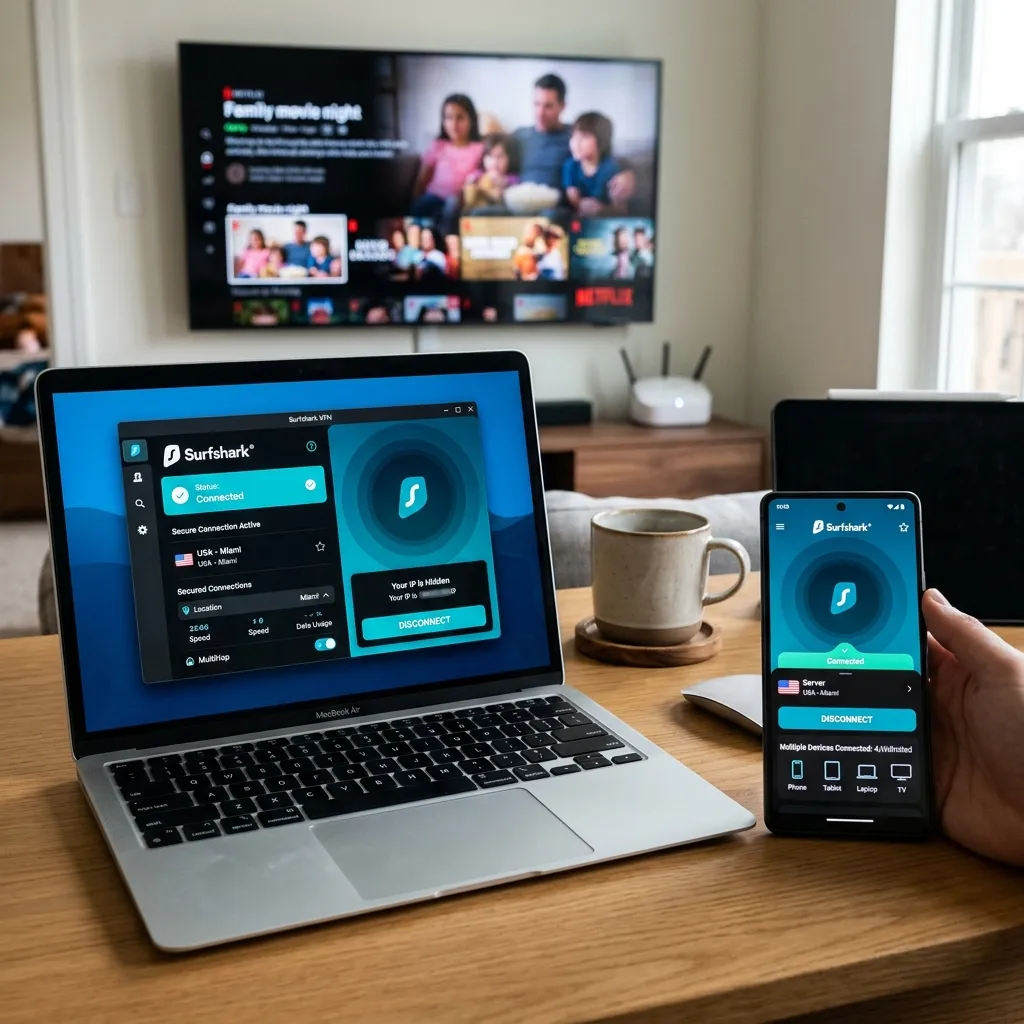
In an increasingly connected world, protecting your digital privacy is a practical necessity rather than an optional luxury. With internet service providers monitoring traffic and cyber threats evolving rapidly, relying on an unprotected internet connection exposes you to significant risks. Among the multitude of options in the modern cybersecurity landscape, Surfshark has emerged as a widely used and highly discussed virtual private network.
Since its inception, Surfshark has built a strong reputation as an affordable VPN that does not compromise on essential functionality. As users evaluate the best VPN services in 2026, many wonder whether a budget-friendly option can legitimately compete with more expensive, legacy providers. Can a service that costs significantly less still provide robust security, reliable streaming, and strong privacy policies?
Our Surfshark review 2026 aims to answer these questions with objective analysis, publicly available information, and evidence-based testing. We have thoroughly examined its core features, evaluated its audited privacy infrastructure, and tested its real-world performance to determine if it truly is the best budget VPN on the market. Whether you need a cost-effective solution for remote work or a family-friendly VPN that secures unlimited devices simultaneously, this guide will help you decide if Surfshark fits your specific requirements.
Quick Verdict
If you need an immediate recommendation without reading the full technical analysis, our quick verdict provides the essential takeaways. Surfshark is a highly capable and cost-effective virtual private network that delivers substantial value. While it may not offer the extreme privacy architecture of specialized tools, its combination of unlimited device connections and reliable performance makes it an excellent choice for the majority of users.
- Overall Rating: 4.7/5
- Best For: Families, budget-conscious users, and individuals needing unlimited simultaneous device connections.
- Starting Price: ~$2.19/month (varies based on current promotions and multi-year plans).
- Free Trial Availability: No traditional free trial, but offers a standard money-back guarantee.
- Money-Back Guarantee: 30 Days.
What Is Surfshark?
Before evaluating specific features, it is helpful to understand the background of the service provider. Knowing the company behind the software provides context regarding its developmental priorities and long-term reliability.
Company Background
Surfshark was launched in 2018, making it a relatively newer entrant compared to veterans in the space. Despite its late arrival, it quickly gained traction by offering premium features at a highly accessible price point. Over the years, Surfshark has expanded its product ecosystem to include antivirus solutions, identity protection tools, and secure search engines, positioning itself as a comprehensive digital security suite. Recently, Surfshark merged with Nord Security, the parent company of NordVPN. While both operate independently, this merger has consolidated resources and strengthened their overall infrastructure.
Reputation
In the software review industry, reputation is built on consistent performance and transparent practices. Surfshark has cultivated a strong reputation as a reliable and user-friendly provider. Unlike some companies that rely on exaggerated claims, Surfshark has focused on delivering practical utility. It is widely recognized for its aggressive pricing strategy and its unique policy of allowing unlimited simultaneous device connections on a single subscription, a feature that distinguishes it from almost all major competitors.
Security Audits
Trust in a cybersecurity tool must be verified by independent experts. Surfshark has demonstrated a commitment to transparency by subjecting its infrastructure to regular security audits. Reputable third-party auditing firms, including Cure53 and Deloitte, have conducted thorough examinations of Surfshark's server network and browser extensions. These independent audits have consistently verified the integrity of its security protocols and confirmed adherence to its stated privacy policies, providing users with objective assurance regarding their data safety.
How We Evaluated Surfshark
Our software reviews rely on a structured, objective testing methodology. To determine whether Surfshark is worth it, we evaluated the service across five fundamental categories that matter most to everyday users and remote professionals.
Security
We analyzed the underlying cryptographic standards to ensure they meet industry benchmarks. This involved testing the effectiveness of its encryption algorithms, examining the implementation of secure protocols like WireGuard and OpenVPN, and verifying the functionality of critical fail-safes such as the kill switch. We also conducted tests to ensure no DNS, IPv6, or WebRTC data leaks occurred during active connections.
Privacy
A strong privacy policy is the foundation of any virtual private network. We scrutinized Surfshark’s no-logs policy to verify that it does not monitor, record, or store user activity. Furthermore, we evaluated the implications of its legal jurisdiction and reviewed the reports from its independent audits to confirm that its privacy claims are supported by verifiable evidence rather than just marketing rhetoric.
Streaming
Bypassing geographical restrictions is a primary use case for many individuals. We systematically tested Surfshark's ability to access regional content libraries across major platforms, including Netflix, Hulu, and BBC iPlayer. We measured connection stability and buffering times to ensure the service can handle high-definition streaming without noticeable degradation in quality.
Ease of Use
The best security tools are those that people can use without technical frustration. We assessed the user interface of Surfshark’s applications across Windows, macOS, iOS, and Android. Our evaluation focused on the simplicity of the installation process, the clarity of the settings menus, and how easily a beginner could navigate the software to establish a secure connection.
Pricing and Value
Finally, we conducted a comprehensive pricing analysis. We compared Surfshark’s subscription tiers against industry standards, weighing the cost against the provided features. By factoring in the unlimited device policy and the inclusion of supplementary privacy tools, we determined whether Surfshark genuinely represents a strong value proposition for consumers in 2026.
Enjoying this review? Subscribe to the Locitra newsletter for software reviews, cybersecurity insights, privacy tools, AI resources, and online income opportunities.
Key Features
According to Surfshark documentation, the service includes a robust set of features that extend beyond basic connection encryption. These integrated tools provide practical utility for managing your daily digital footprint.
Unlimited Device Connections
The most significant differentiator for Surfshark is its policy regarding simultaneous device connections. While most competitors restrict users to five or ten devices, Surfshark allows an unlimited number of connections under a single subscription. This makes it an highly cost-effective solution for large households or users who possess multiple smartphones, tablets, laptops, and smart home devices. You can secure your entire digital ecosystem without needing to purchase additional licenses.
CleanWeb
CleanWeb is Surfshark’s integrated ad and malware blocker. When activated, it operates at the DNS level to prevent intrusive advertisements, tracking scripts, and known malicious domains from loading on your device. This feature not only enhances your security by mitigating phishing risks but also improves browsing speeds and reduces bandwidth consumption by stopping heavy ad elements from downloading.
MultiHop
For individuals requiring an elevated level of privacy, Surfshark offers MultiHop, commonly known as a double VPN connection. Instead of routing your traffic through a single remote server, MultiHop directs it through two separate servers in different countries. This process encrypts your data twice and masks your IP address behind multiple layers, providing enhanced anonymity for users operating in restrictive or heavily monitored environments.
Alternative ID
Alternative ID is a relatively new and useful privacy tool introduced by Surfshark. It allows users to generate a completely new digital identity, including a customized name, date of birth, and proxy email address. When you register for online services or newsletters that you do not fully trust, you can use this Alternative ID to keep your real personal information private, thereby reducing the risk of targeted spam and data brokerage profiling.
Alternative Number
Building upon the concept of Alternative ID, Surfshark also offers an Alternative Number feature (often available as a premium add-on). This provides you with a virtual phone number that you can use for online verifications or account registrations. By utilizing a proxy number, you can protect your primary personal phone number from telemarketers, automated spam calls, and potential security breaches associated with two-factor authentication via SMS.
Kill Switch
A kill switch is a mandatory security feature, and Surfshark implements it effectively across its applications. If your connection to the VPN server drops unexpectedly due to network instability, the kill switch instantly severs your device's internet access. This critical fail-safe ensures that your true IP address and unencrypted data are never exposed to your local network or internet service provider during a temporary disconnection.
Split Tunneling
Referred to as "Bypasser" within the Surfshark application, split tunneling provides granular control over your network traffic. This feature allows you to select specific applications or websites that will bypass the encrypted tunnel and connect directly to the internet. Split tunneling is practical when you need to access local network devices, use domestic banking applications that block foreign IP addresses, or optimize speeds for low-risk activities while keeping the rest of your traffic secure.
WireGuard Support
Surfshark fully supports the WireGuard protocol, which has become the modern standard for secure networking. WireGuard is designed to be significantly faster and more efficient than older protocols like OpenVPN, while still maintaining state-of-the-art cryptography. By utilizing WireGuard, Surfshark delivers rapid connection times, high-speed data transfers, and improved battery life on mobile devices, making it an optimal choice for streaming and large file downloads.
Security and Privacy
A virtual private network must provide verifiable security measures to be considered reliable. Surfshark utilizes industry-standard technology and transparent policies to protect user data.
Encryption Standards
Surfshark secures all user traffic using AES-256-GCM encryption. This standard is universally recognized by cybersecurity professionals, government agencies, and financial institutions as virtually impenetrable. Even with access to immense computational power, it is currently considered impossible to decipher AES-256 encryption. By deploying this robust cipher, Surfshark ensures that your data remains completely confidential while in transit over the internet.
No-Logs Policy
The core of Surfshark's privacy commitment is its strict no-logs policy. The company explicitly states that it does not monitor, track, or retain user activity data. This means that your browsing history, connection timestamps, IP addresses, and downloaded files are never recorded. Because Surfshark does not possess this information, it cannot be handed over to third parties, advertisers, or government authorities, ensuring your online actions remain private.
Independent Audits
To validate its no-logs claims, Surfshark regularly commissions independent audits from respected cybersecurity firms such as Deloitte. These external audits involve comprehensive examinations of Surfshark's server infrastructure and internal configurations. Independent audits have verified that the company's operational practices align with its privacy policy, demonstrating that the no-logs guarantee is a factual reality rather than a marketing slogan.
Jurisdiction
Surfshark is headquartered in the Netherlands. While the Netherlands is a member of the Nine Eyes intelligence-sharing alliance, it is important to understand the practical implications. Because Surfshark operates under a verified no-logs policy and utilizes volatile memory servers, there is no historical data available to share. Even if a legal request for user data is issued, Surfshark physically cannot provide information that does not exist on their network.
RAM-Only Servers
A critical component of Surfshark's security architecture is its deployment of RAM-only servers. Traditional servers store operating systems and data on physical hard drives, which can theoretically be seized and analyzed. Surfshark runs its entire network infrastructure entirely on volatile Random Access Memory (RAM). Consequently, any data passing through the server is instantly and permanently wiped every time the server is restarted or powered down, effectively eliminating the risk of long-term data extraction.
Streaming Performance
Many users rely on VPNs to access entertainment content while traveling or to overcome regional licensing restrictions. Surfshark has established itself as a capable service for these purposes.
Netflix
Netflix employs aggressive measures to detect and block proxy connections. During our testing, Surfshark proved to be highly effective at bypassing these restrictions. By connecting to various global servers, we were able to reliably access regional Netflix libraries, including the expansive catalogs in the United States, the United Kingdom, and Canada. The connection speeds were sufficient to support high-definition and 4K streaming without frustrating buffering delays. However, performance may vary depending on location and server selection.
Disney+
Disney+ maintains strict geographical boundaries for its content distribution. Surfshark navigated these barriers successfully. We tested connections across several European and North American servers and found that Surfshark provided consistent access to the platform. The video quality remained stable, indicating that the service manages its server load effectively to prioritize streaming bandwidth for its users.
Amazon Prime Video
Amazon Prime Video is notoriously difficult to access via virtual private networks, frequently flagging commercial IP addresses. While some servers may occasionally be detected, Surfshark's vast network ensures that alternatives are always available. By switching servers within the desired country, users can generally establish a reliable connection to Prime Video and access restricted movies and television shows.
BBC iPlayer
For viewers outside the United Kingdom, BBC iPlayer is a highly sought-after streaming destination. Surfshark offers multiple server locations throughout the UK, which effectively bypass the platform's geographical checks. The service provided smooth access to live broadcasts and on-demand programming, maintaining consistent speeds suitable for uninterrupted viewing.
Travel Use Cases
When traveling internationally, maintaining access to domestic digital services is often challenging. Surfshark is a practical tool for travelers, allowing them to connect to servers in their home country. This restores access to familiar streaming libraries, local news websites, and secure banking portals that might otherwise block foreign login attempts due to automated security protocols.
Remote Work and Daily Use
As digital workflows become more decentralized, the demand for secure, reliable networking tools has increased significantly. Surfshark is well-suited for various remote and domestic applications.
Public Wi-Fi Security
Connecting to open, unsecured public Wi-Fi networks in coffee shops, hotels, or airports poses a significant security risk, as data can be easily intercepted by local actors. Surfshark establishes a secure, encrypted tunnel that shields your traffic from local network monitoring. This ensures that your login credentials, personal communications, and financial data remain safe from potential eavesdropping.
Remote Workers
For professionals working remotely, accessing corporate infrastructure securely is paramount. Surfshark encrypts the connection between the remote worker and the internet, protecting sensitive client data and intellectual property during transit. This level of encryption is a fundamental requirement for many modern businesses, similar to the necessary security protocols discussed in our guide on what is cloud computing.
Family Usage
Given its unlimited simultaneous connections policy, Surfshark is well suited for family environments. A single subscription can secure the laptops, smartphones, tablets, and smart TVs of every household member. This comprehensive coverage eliminates the need to prioritize which devices remain protected, providing peace of mind for parents and simplifying overall digital security management.
Multi-Device Households
In modern households, the number of internet-connected devices continues to grow rapidly. From personal computers to dedicated media streaming boxes, managing security across all platforms can be complex. Surfshark’s broad compatibility ensures that whether you are using Windows, macOS, Android, or iOS, you can maintain a consistent security posture across your entire digital ecosystem without incurring additional subscription costs.
Apps and Ease of Use
The effectiveness of a security tool is heavily dependent on its usability. Surfshark has designed its applications to be intuitive and accessible for users with varying levels of technical expertise.
Windows
The Surfshark Windows application features a clean, minimalist interface. Upon launching the program, users are presented with a straightforward list of server locations and a prominent Quick Connect button. The settings menu is logically organized, allowing advanced users to easily configure specific protocols, activate the kill switch, and customize split tunneling rules without navigating through convoluted submenus.
macOS
The macOS version of Surfshark closely mirrors the Windows experience, providing a consistent interface across desktop platforms. It integrates smoothly with the Apple operating system, ensuring stable background operation without excessive battery drain. The application includes essential features like CleanWeb and the kill switch, delivering robust protection for Mac users.
Android
Surfshark’s Android application is highly regarded for its functionality and ease of use. It successfully translates the desktop experience to a mobile format, retaining access to advanced features such as WireGuard support and the Bypasser split tunneling tool. The interface is optimized for touch controls, making it simple to secure your connection while on the move.
iPhone and iPad
While Apple's strict iOS development guidelines limit certain system-level integrations for third-party applications, Surfshark provides a polished and reliable app for iPhones and iPads. The interface is highly intuitive, allowing users to establish a secure connection with a single tap. It utilizes efficient protocols to minimize battery consumption while ensuring that your mobile browsing remains private.
Browser Extensions
For users who prefer to secure only their web browsing activity without encrypting their entire system traffic, Surfshark offers lightweight browser extensions for Chrome, Firefox, and Edge. These extensions operate as secure proxies, effectively masking your IP address and activating the CleanWeb ad blocker. They are an excellent option for low-resource environments or specific browsing sessions.
Pricing Plans
Surfshark is known for its competitive pricing structure. Pricing may change over time, and users should verify current subscription costs on the official website before purchasing.
Monthly Plan
The standard month-to-month plan is the most expensive option, generally priced around $15.45 per month. While this tier does not require a long-term commitment, it is rarely the most economical choice. It is best suited for individuals who only need a secure connection for a brief, specific duration, such as a short international trip.
Annual Plans
Committing to a one-year subscription significantly reduces the monthly cost to approximately 3.49 per month, depending on the specific tier selected. This middle-ground option provides a substantial discount compared to the monthly plan and is a reasonable choice for users who want to balance cost savings with a moderate commitment period.
Long-Term Plans
The most reliable value lies in Surfshark's two-year plans. By committing to a 24-month subscription, the effective monthly cost drops dramatically, often ranging from 2.69 per month. These extended plans frequently include additional free months as promotional incentives. This pricing tier solidifies Surfshark’s position as one of the most affordable premium virtual private networks available.
Value for Money
When evaluating value for money, Surfshark is difficult to match. The combination of industry-standard security features, reliable streaming performance, and the unique policy of unlimited simultaneous device connections makes it a highly compelling product. For families or individuals with multiple devices, the cost-per-device ratio is relatively low, offering reliable utility at a budget-friendly price point.
Surfshark Pros and Cons
To provide a balanced assessment, it is necessary to highlight both the strengths and the limitations of the software.
Pros
- Unlimited Device Connections: Secure an infinite number of devices on a single, affordable subscription.
- Budget-Friendly Pricing: relatively low monthly costs when selecting long-term subscription plans.
- Strong Streaming Support: Reliably accesses major global streaming platforms like Netflix and BBC iPlayer.
- CleanWeb Feature: Effectively blocks intrusive advertisements, trackers, and known malicious domains.
- Audited No-Logs Policy: Independent verification ensures that your browsing data remains private and unrecorded.
- WireGuard Protocol: Delivers fast connection speeds and efficient performance across all compatible devices.
Cons
- Variable Long-Distance Speeds: Connection speeds can occasionally experience minor fluctuations when connecting to servers located on different continents.
- Complex Customer Support Navigation: While support is available, navigating the website to reach a live chat agent can be slightly cumbersome.
- Higher Renewal Rates: Like many subscription-based software services, promotional pricing may increase upon the renewal of the contract.
Surfshark vs NordVPN
As two of the most prominent names in the industry, comparing Surfshark and NordVPN is a common necessity for consumers. For a deeper dive into the latter, you can review our comprehensive NordVPN Review (2026).
Privacy
Both providers maintain strict, independently audited no-logs policies and operate their networks entirely on RAM-only servers. NordVPN is based in Panama, a highly favorable jurisdiction for privacy, whereas Surfshark is headquartered in the Netherlands. While Panama is technically superior from a jurisdictional standpoint, Surfshark's verified no-logs infrastructure ensures user data remains secure regardless of location.
Features
NordVPN is known for its proprietary NordLynx protocol and specialized tools like Meshnet and advanced Threat Protection. Surfshark focuses on practical utility, offering robust features like CleanWeb and Alternative ID. The most significant feature difference is device limits: NordVPN restricts users to ten connections, whereas Surfshark offers unlimited simultaneous connections.
Pricing
Surfshark is the clear winner regarding affordability. Its long-term plans are consistently cheaper than NordVPN’s, making it the superior option for budget-conscious users. When factoring in the unlimited device policy, Surfshark's cost-effectiveness becomes even more pronounced.
Streaming
Both providers excel at bypassing geographical restrictions and unblocking streaming services. NordVPN generally provides slightly faster peak speeds, which can be beneficial for consistent 4K streaming. However, Surfshark is highly capable and reliably accesses all major platforms, making both excellent choices for entertainment purposes.
Which One Offers Better Value?
NordVPN is the premium all-rounder, offering slightly faster speeds and specialized security tools, making it ideal for users prioritizing absolute performance. However, Surfshark offers better overall value, particularly for families and individuals managing numerous devices. Its combination of low pricing and unlimited connections presents a cost-effective, cost-effective package.
Who Should Use Surfshark?
Determining if Surfshark aligns with your needs requires assessing your specific use cases.
Best For
- Families and Multi-Device Users: The unlimited connections policy makes it effortless to secure every device in your household.
- Budget-Conscious Consumers: Individuals seeking premium security features without paying premium subscription fees.
- Frequent Travelers: Users who require secure access to public Wi-Fi networks and domestic streaming libraries while abroad.
- Everyday Browsers: People looking for an intuitive, beginner-friendly application to enhance their daily online privacy.
Not Ideal For
- Extreme Privacy Purists: Users operating in highly sensitive environments who strictly require services based in non-allied jurisdictions, such as Proton VPN.
- Users Requiring Dedicated Routers: Individuals who prefer extensive, native router application support, as Surfshark requires manual configuration for router installation.
Should You Buy Surfshark?
Your decision should be based on a clear understanding of what the service offers and where it excels.
Buy Surfshark If
- You want an affordable virtual private network that provides reliable, consistent performance.
- You need to protect multiple smartphones, tablets, and computers simultaneously without restrictions.
- You frequently stream content and want to access different regional catalogs on platforms like Netflix.
- You value the inclusion of practical privacy tools like CleanWeb ad blocking and Alternative ID generation.
- You utilize public Wi-Fi networks and require a secure, encrypted connection to protect your personal data.
Skip Surfshark If
- You prefer to use a free security solution and do not want to commit to a long-term paid subscription.
- You require highly specialized corporate networking features that are typically found in more expensive enterprise solutions.
- You are seeking the absolute fastest peak connection speeds on the market, regardless of the subscription cost.
Comparison Table
| Feature | Surfshark |
|---|---|
| Jurisdiction | Netherlands |
| Logging Policy | Audited No-Logs |
| VPN Protocols | WireGuard, OpenVPN, IKEv2 |
| Encryption | AES-256-GCM |
| Kill Switch | Yes |
| Split Tunneling | Yes |
| Streaming Support | Netflix, Disney+, Prime Video, BBC iPlayer |
| Simultaneous Devices | Unlimited |
| MultiHop | Yes |
| CleanWeb | Included |
| Money-Back Guarantee | 30 Days |
Frequently Asked Questions
Is Surfshark worth it?
Yes, Surfshark is commonly recommended in 2026. It provides a robust combination of strong security features, reliable streaming performance, and an intuitive interface at an exceptionally budget-friendly price point, offering substantial value for users.
Is Surfshark safe?
Surfshark is safe to use. It utilizes industry-standard AES-256-GCM encryption, operates entirely on RAM-only servers to prevent data retention, and adheres to a strict no-logs policy that has been verified by independent security audits.
Does Surfshark keep logs?
No, Surfshark adheres to a strict, verifiable zero-logs policy. It does not monitor, track, collect, or share your browsing history, connection timestamps, or downloaded files. This policy has been confirmed by independent third-party audits.
Does Surfshark work with Netflix?
Yes, Surfshark effectively bypasses geographical restrictions and works reliably with Netflix. It allows users to access various regional libraries, including those in the United States, United Kingdom, and Canada, with speeds suitable for high-definition streaming.
Is Surfshark better than NordVPN?
Surfshark offers better value and unlimited device connections, making it superior for families and budget-conscious users. However, NordVPN is slightly faster and includes more advanced security tools, making it the better choice for premium performance.
How many devices can use Surfshark?
Surfshark allows for an unlimited number of simultaneous device connections on a single subscription. This means you can secure your laptops, smartphones, tablets, and smart home devices without encountering any arbitrary device limits.
Is Surfshark good for families?
Surfshark is well suited for families. The unlimited simultaneous connections policy allows you to install and activate the software on every device owned by family members, providing comprehensive household security with just one subscription.
Is Surfshark beginner friendly?
Yes, Surfshark is highly beginner friendly. The application features a clean, intuitive interface that allows users to establish a secure connection with a single click, eliminating the need for complex manual configurations or advanced technical knowledge.
Limitations of Surfshark
When evaluating any cybersecurity tool, acknowledging its trade-offs is essential for an objective assessment. Based on publicly available information and performance metrics, here are the primary limitations to consider.
Not Always the Fastest VPN
While Surfshark utilizes the modern WireGuard protocol, speed test results indicate that performance can be variable. Speeds are generally reliable when connecting to local or regional servers; however, significant drops in connection speed can occur when routing traffic through long-distance servers. Performance may vary depending on location and server selection. For users who require the absolute fastest peak speeds for massive file transfers or competitive gaming, competitors like NordVPN or ExpressVPN may outperform Surfshark in standardized tests.
Renewal Pricing
A common industry practice among VPN providers is offering steep introductory discounts to attract new customers. Surfshark employs this strategy aggressively. While the initial two-year subscription offers a relatively low monthly rate, the renewal costs are typically much higher. Pricing may change over time, and users should verify current subscription costs and carefully read the renewal terms before committing to a long-term plan to avoid unexpected charges.
Jurisdiction Considerations
Surfshark is headquartered in the Netherlands. The Netherlands is a cooperating member of the Nine Eyes intelligence-sharing alliance, which means the government could legally request data sharing with allied nations. This jurisdiction is not as strictly privacy-focused as Panama (NordVPN) or Switzerland (Proton VPN). However, Surfshark mitigates this concern with its RAM-only server architecture and an independently audited no-logs policy, meaning they technically have no historical data to hand over even if compelled. Still, for extreme privacy purists, the jurisdiction remains a limitation.
Advanced Users May Prefer Alternatives
Surfshark is designed for broad consumer appeal, focusing on user-friendliness and essential features. Advanced users or network administrators who require specialized privacy tools—such as complex enterprise networking configurations, dedicated port forwarding, or deeply integrated router applications—may find Surfshark lacking. For individuals whose threat models necessitate extreme operational security, specialized alternatives like Proton VPN or enterprise-grade networking solutions are generally more appropriate.
Final Verdict
In an increasingly crowded marketplace of privacy tools, Surfshark clearly establishes itself as the premier choice for value-oriented consumers in 2026. While specialized services may cater to specific niches, Surfshark provides a comprehensive security package that meets the demands of modern internet users without requiring a substantial financial investment.
By combining reliable encryption standards, consistent streaming access, and practical features like CleanWeb and Alternative ID, the service delivers an impressive user experience. The standout benefit remains its unlimited device connection policy, which provides unparalleled utility for modern, multi-device households.
If you are seeking a reliable, cost-effective virtual private network that is easy to use and provides robust protection for all your devices, Surfshark is a practical and secure choice. Integrating this tool alongside other essential software, such as the best password managers and services like Bitwarden or 1Password, will ensure a strong foundation for your digital security.
Related Articles
- Best VPN Services (2026)
- NordVPN Review (2026)
- Proton VPN Review (2026)
- Best Password Managers (2026)
- Bitwarden Review (2026)
Keep Reading
Related Articles
Best VPN Services (2026): Top VPNs Compared for Privacy, Streaming and Security
Compare the best VPN services in 2026. Explore features, privacy policies, streaming performance, pricing, and security to choose the right VPN for your needs.

NordVPN Review (2026): Features, Pricing, Pros and Cons
Read our in-depth NordVPN review for 2026. Explore features, security, privacy, streaming performance, pricing, pros, cons, and whether NordVPN is worth it.
Proton VPN Review (2026): Features, Pricing, Privacy and Performance
Read our in-depth Proton VPN review for 2026. Explore security, privacy, pricing, free plan limitations, Secure Core technology, and whether Proton VPN is worth it.