Best AI Tools in 2026: The Complete Guide

Sunil Kumar
Founder & Editor, Locitra
Discover the absolute best AI tools in 2026 across writing, design, coding, research, and business. Our comprehensive guide helps you multiply your productivity and scale your income.

Introduction
As we settle into 2026, Artificial Intelligence is no longer a futuristic novelty or a buzzword—it is the foundational infrastructure of the modern digital economy. From solopreneurs running highly profitable newsletters to enterprise conglomerates automating their supply chains, AI tools have fundamentally shifted how we work, create, and communicate. If you are not actively leveraging the best AI tools in your daily workflow, you are competing at a severe disadvantage.
The AI landscape has evolved dramatically since the chaotic early days of generative text. We have moved past simple chatbots. Today’s AI ecosystem is characterized by specialized, highly targeted agents capable of executing complex, multi-step workflows. Whether your goal is accelerating your career growth in the digital age, launching a side hustle to make money online, or simply automating the mundane tasks that drain your energy, there is a tool designed specifically for your needs.
In this definitive, comprehensive guide, we will explore the Best AI Tools in 2026. We have spent hundreds of hours rigorously testing, analyzing, and implementing these platforms. We have categorized them by use case—Writing, Research, Productivity, Design, Video, Coding, Business, and Education—to help you build a personalized, high-leverage tech stack.
By the end of this article, you will have a clear roadmap of exactly which tools are worth your time and financial investment, and how to integrate them to achieve unprecedented levels of productivity.
The Economics of AI: Why You Must Adapt
Before diving into the specific tools, it is crucial to understand why this matters. In 2026, the global workforce is experiencing a bifurcation. On one side are the "AI-Enhanced"—professionals who have learned to use AI as an exoskeleton for their minds, multiplying their output tenfold. On the other side are those relying solely on traditional methods, struggling to keep pace with the sheer volume and speed of modern business.
If you are a freelancer, utilizing the right stack of AI tools can mean the difference between billing for 20 hours a week versus effectively delivering 80 hours of value while working only 15. As we explore in our guide to freelancing for beginners, leveraging these technologies allows you to scale your income without scaling your labor hours.
Similarly, small business owners who embrace automation are drastically reducing overhead. For a deeper dive into this specific use case, check out our dedicated article on how small businesses can use AI to save time and money.
The message is clear: AI will not replace you. A person using AI will. Let's explore the tools that will ensure you are the one doing the replacing.
Category 1: Best AI Writing & Content Creation Tools
Writing is the bedrock of digital communication. Whether you are drafting a corporate memo, scripting a YouTube video, or writing a high-converting sales page, AI writing assistants have moved from "glorified spellcheckers" to intelligent co-authors.
1. ChatGPT (OpenAI)
It is impossible to discuss AI writing without starting with the ubiquitous standard: ChatGPT. Now running on its most advanced iteration, ChatGPT is the Swiss Army knife of text generation.
- Why it excels: ChatGPT offers unmatched versatility. Its ability to maintain long-term memory across sessions, adopt highly specific personas, and execute complex logic makes it indispensable.
- Best use case: Drafting emails, brainstorming blog post outlines, summarizing lengthy transcripts, and general-purpose ideation.
- Pro Tip: If you are struggling to decide between the two major language models, read our in-depth analysis on ChatGPT vs Gemini in 2026 to see which aligns better with your workflow.
2. Claude (Anthropic)
Claude has solidified its reputation as the "writer's AI." Designed with constitutional AI principles, Claude is remarkably adept at maintaining a natural, human-sounding tone and excels at long-form document analysis.
- Why it excels: Claude processes massive context windows flawlessly. You can upload an entire 300-page PDF and ask it highly specific, nuanced questions without it losing the plot or hallucinating. Its writing style is inherently less robotic than its competitors.
- Best use case: Writing long-form articles, analyzing legal contracts, and editing creative writing.
3. Jasper AI
Jasper is purpose-built for marketers, agencies, and enterprise content teams. It is not a general-purpose chatbot; it is a specialized content generation engine.
- Why it excels: Jasper integrates seamlessly with SEO tools (like SurferSEO) and allows you to build a "Brand Voice" by feeding it your company's existing content. It ensures that every blog post, ad copy, or social media caption sounds exactly like your brand.
- Best use case: Scaling content marketing operations, generating ad copy, and maintaining brand consistency across large teams.
4. Copy.ai
Copy.ai focuses heavily on workflow automation for sales and marketing teams, offering hundreds of pre-built templates for almost every conceivable copywriting task.
- Why it excels: It eliminates the blank page syndrome instantly. Its "Workflows" feature allows you to automate repetitive tasks, such as generating a complete week of LinkedIn posts from a single URL.
- Best use case: Rapid generation of social media copy, product descriptions, and cold email outreach sequences.
5. GrammarlyGO
Grammarly has evolved from a grammar checker into a proactive writing assistant embedded directly where you work—your email, browser, and word processors.
- Why it excels: It understands your context. Instead of just fixing a comma splice, GrammarlyGO can rewrite a casual email into a professional proposal with one click.
- Best use case: Real-time editing, tone adjustment, and ensuring flawless professional communication.
Category 2: Best AI Research & Data Analysis Tools
Information is abundant; synthesis is scarce. The ability to rapidly consume, analyze, and extract insights from massive datasets or the internet is a superpower in 2026.
6. Perplexity AI
Perplexity has redefined the search engine. Instead of providing a list of blue links, it acts as an intelligent research assistant, citing its sources in real-time.
- Why it excels: It eliminates the need to open twenty tabs. You ask a complex question, and Perplexity reads the top web pages, synthesizes the information, and provides a comprehensive, cited answer.
- Best use case: Rapid market research, fact-checking, and exploring new topics deeply without wading through SEO spam.
7. Google Gemini (Advanced)
Deeply integrated into the Google Workspace ecosystem, Gemini is Google's answer to the AI revolution, offering profound multimodal capabilities.
- Why it excels: Gemini can seamlessly interact with your Google Docs, Gmail, and Google Drive. It can analyze a spreadsheet of sales data and instantly generate a summary report in a Google Doc.
- Best use case: Enterprise research, data synthesis for users already heavily invested in the Google ecosystem. (Again, see our ChatGPT vs Gemini breakdown for a detailed comparison).
8. Julius AI
Julius AI is a specialized tool for data analysis and visualization. It acts as a virtual data scientist.
- Why it excels: You can upload CSVs, Excel files, or connect it to SQL databases, and simply ask it questions in plain English (e.g., "What was our most profitable product line in Q3?"). It will write the code, execute the analysis, and generate beautiful, interactive charts.
- Best use case: Business intelligence, financial modeling, and making sense of complex datasets without needing to know Python or advanced Excel.
9. Elicit
Elicit is an AI research assistant designed specifically for academics, scientists, and deep researchers.
- Why it excels: It searches millions of academic papers to answer research questions, extracts key data (like methodology and sample sizes), and summarizes findings. It is rigorously designed to prevent hallucinations in scientific contexts.
- Best use case: Literature reviews, academic research, and evidence-based analysis.
10. Consensus
Similar to Elicit, Consensus is a search engine that uses AI to find answers in scientific research.
- Why it excels: If you ask a yes/no question (e.g., "Does creatine improve cognitive function?"), Consensus provides a "Consensus Meter" based on the aggregated findings of peer-reviewed papers, instantly giving you the scientific consensus.
- Best use case: Health, fitness, and scientific fact-checking.
Category 3: Best AI Productivity & Organization Tools
If you want to accelerate your career growth, you must master time management. These AI tools act as your Executive Assistant, organizing your calendar, notes, and tasks.
11. Notion AI
Notion was already the darling of the productivity world, but its native AI integration has transformed it into a hyper-intelligent workspace.
- Why it excels: You can ask Notion AI questions about your own workspace. It can summarize meeting notes, automatically generate action items, and instantly translate or rewrite documentation stored within your wikis.
- Best use case: Knowledge management, team wikis, and project management.
12. Otter.ai
Otter is the undisputed king of AI meeting transcription and intelligence.
- Why it excels: Otter joins your Zoom, Meet, or Teams calls, transcribes the conversation with incredible accuracy, and generates an automated summary with assigned action items. You never have to take manual meeting notes again.
- Best use case: Corporate meetings, client interviews, and lectures.
13. Motion
Motion uses AI to completely automate your calendar and task list.
- Why it excels: You input your tasks, deadlines, and working hours. Motion’s algorithm calculates the optimal schedule and dynamically rearranges your calendar if priorities shift or a meeting runs long. It takes the cognitive load out of planning your day.
- Best use case: Founders, freelancers, and anyone suffering from schedule anxiety and task overload.
14. Rewind (Now Limitless)
Rewind records everything you see, say, or hear on your computer (with profound privacy controls) and makes it perfectly searchable.
- Why it excels: It is a photographic memory for your digital life. You can ask, "What did the client say about the budget last Tuesday?" and it will instantly retrieve the exact moment from a past video call or document you were viewing.
- Best use case: Information retrieval and eliminating the phrase "I know I saw that somewhere..."
15. Mem
Mem is an AI-powered notes app designed for non-linear thinking.
- Why it excels: Instead of organizing notes into rigid folders, Mem uses AI to understand the relationships between your thoughts. Its "Chat" feature allows you to converse with your own past ideas, synthesizing new insights from old notes.
- Best use case: Personal knowledge management, journaling, and creative ideation.
Category 4: Best AI Design & Image Generation Tools
Visual content dominates the digital landscape. These tools allow anyone, regardless of artistic ability, to generate stunning, professional-grade imagery.
16. Midjourney (v6+)
Midjourney remains the gold standard for artistic, highly realistic, and breathtaking AI image generation.
- Why it excels: The sheer aesthetic quality of Midjourney is currently unmatched. Whether you need photorealistic editorial photography, conceptual art, or architectural renders, Midjourney produces images that routinely win art competitions.
- Best use case: High-end visual assets, concept art, and premium blog/social media imagery.
17. Canva Magic Studio
Canva democratized graphic design years ago, and its Magic Studio suite has brought powerful AI tools to the masses.
- Why it excels: It is incredibly user-friendly. Features like Magic Expand (extending an image's borders), Magic Grab (moving subjects within a photo), and Magic Design (generating complete presentations from a prompt) are built directly into an interface millions already know.
- Best use case: Social media graphics, presentations, and rapid marketing asset creation.
18. Adobe Firefly
Adobe's generative AI model is deeply integrated into Photoshop, Illustrator, and the broader Creative Cloud.
- Why it excels: It is the only major model trained entirely on licensed, copyright-free imagery, making it uniquely safe for commercial and enterprise use. Features like "Generative Fill" in Photoshop have fundamentally changed photo retouching.
- Best use case: Professional graphic design, commercial asset generation, and precise photo manipulation.
19. Leonardo.ai
Leonardo is a powerhouse platform that offers unprecedented control over the image generation process, popular among game developers and advanced digital artists.
- Why it excels: It allows you to train your own custom models on specific visual styles and offers incredible consistency for character design and asset generation.
- Best use case: Game asset creation, consistent character illustration, and advanced visual workflows.
20. Magnific AI
Magnific is not a generator, but an AI upscaler and enhancer.
- Why it excels: It can take a low-resolution image, or a slightly flawed AI generation, and "hallucinate" stunning high-resolution details, turning a basic render into an ultra-realistic masterpiece.
- Best use case: Polishing AI art, restoring old photos, and preparing images for print.
Category 5: Best AI Video & Audio Tools
Video is the most engaging format online, but historically the most expensive and time-consuming to produce. AI is changing that paradigm.
21. Synthesia
Synthesia allows you to create professional videos using incredibly realistic AI avatars and text-to-speech.
- Why it excels: You simply type a script, select an avatar, and Synthesia generates a video of a "person" speaking your text with perfect lip-sync. This eliminates the need for cameras, lighting, actors, or studios.
- Best use case: Corporate training videos, marketing explainers, and educational content.
22. ElevenLabs
ElevenLabs is the undisputed leader in AI voice synthesis and text-to-speech.
- Why it excels: The emotional range, intonation, and realism of ElevenLabs' voices are staggering. It can clone your own voice from a short audio sample or generate entirely new, expressive voices that sound indistinguishable from human voice actors.
- Best use case: Audiobooks, podcast intros, video voiceovers, and dynamic character voices.
23. Descript
Descript edits video and audio exactly like a text document.
- Why it excels: It transcribes your video files. If you want to delete a sentence from the video, you simply delete the text in the transcript, and the video is automatically cut. Its "Studio Sound" feature uses AI to make terrible microphone audio sound like it was recorded in a professional studio.
- Best use case: Podcasting, YouTube video editing, and rapid content repurposing.
24. Runway (Gen-2/Gen-3)
Runway is pushing the boundaries of AI video generation (text-to-video and image-to-video).
- Why it excels: It allows you to generate short video clips entirely from text prompts or by animating still images. It also offers a suite of "AI Magic Tools" for tasks like instantly removing backgrounds (green screen) or painting out objects from moving video.
- Best use case: B-roll generation, visual effects, and conceptual video art.
25. Opus Clip
Opus Clip is a lifesaver for content creators looking to maximize their reach across platforms like TikTok, Shorts, and Reels.
- Why it excels: You drop in a link to a long-form YouTube video or podcast. Opus Clip uses AI to analyze the video, identify the most engaging moments, and automatically cut them into dozens of vertical short-form videos, complete with dynamic captions and a virality score.
- Best use case: Content repurposing, social media growth, and driving traffic to long-form content.
Category 6: Best AI Coding & Development Tools
The barrier to entry for software development has never been lower. AI coding assistants are turning non-technical founders into builders and making senior engineers exponentially faster.
26. GitHub Copilot
The standard-bearer for AI coding assistants, deeply integrated into VS Code and other major IDEs.
- Why it excels: It acts as an incredibly smart autocomplete, predicting the next line of code or generating entire functions based on a simple comment. It understands the context of your entire project.
- Best use case: Accelerating routine coding tasks, writing boilerplate, and assisting professional developers.
27. Cursor
Cursor is a fork of VS Code built entirely around AI. It is rapidly becoming the IDE of choice for AI-forward developers.
- Why it excels: Instead of just autocomplete, Cursor allows you to chat with your entire codebase. You can highlight a function and ask, "Where is the bug here?" or tell it to "Refactor this component to use Tailwind CSS," and it executes the changes across multiple files seamlessly.
- Best use case: Advanced software development, rapid prototyping, and profound codebase comprehension.
28. v0 (by Vercel)
v0 is a generative UI system that creates React components from text prompts.
- Why it excels: You describe the UI you want (e.g., "A modern SaaS dashboard sidebar with a dark mode toggle"), and v0 generates the exact React and Tailwind code, complete with a visual preview. You can iteratively refine it through chat.
- Best use case: Frontend development, rapid UI prototyping, and accelerating design-to-code workflows.
29. Replit AI
Replit is a cloud-based development environment, and its native AI features make it the easiest place to go from idea to deployed application.
- Why it excels: It lowers the barrier to entry. Beginners can use Replit AI to explain confusing code, generate scripts, and instantly deploy their applications without worrying about local environment setup.
- Best use case: Beginners learning to code, rapid prototyping, and deploying small applications instantly.
Category 7: Best AI Business & Operations Tools
If you are a founder or managing a team, these tools act as your operational backbone, automating sales, customer support, and strategy.
30. Salesforce Einstein
Deeply integrated into the world's leading CRM, Einstein brings predictive AI to enterprise sales and marketing.
- Why it excels: It analyzes massive amounts of customer data to predict which leads are most likely to convert, suggests the next best action for sales reps, and automates personalized marketing journeys at scale.
- Best use case: Enterprise sales forecasting, lead scoring, and automated customer relationship management.
31. Chatbase
Chatbase allows anyone to build a custom AI chatbot trained exclusively on their own data in minutes.
- Why it excels: You can upload your company's PDFs, provide a link to your website, or connect your knowledge base, and Chatbase instantly generates a highly accurate support bot. This drastically reduces the load on human support teams.
- Best use case: Customer support automation, internal employee helpdesks, and lead generation. (See our guide on how small businesses use AI for practical implementation tips).
32. Beautiful.ai
Beautiful.ai is presentation software that designs itself.
- Why it excels: You focus on the content; the AI focuses on the design. As you add text or charts, the slides automatically adapt to maintain professional, beautiful layouts, saving hours of tweaking alignments.
- Best use case: Pitch decks, board presentations, and sales collateral.
33. Lavender
Lavender is an AI email coach designed specifically for sales professionals.
- Why it excels: It lives in your inbox and analyzes your outgoing cold emails, providing real-time feedback on tone, length, and clarity to maximize reply rates. It essentially gives every sales rep an elite copywriting coach.
- Best use case: B2B sales, cold outreach, and improving email conversion rates.
Category 8: Best AI Education & Career Tools
The educational paradigm is shifting from standardized testing to personalized tutoring. Whether you are a student, a teacher, or a job seeker, AI is a powerful ally.
34. Khanmigo (by Khan Academy)
Khanmigo is an AI tutor that acts as a patient, personalized guide for students.
- Why it excels: Instead of just giving the student the answer, Khanmigo uses Socratic questioning to guide the student to the answer themselves. It is a revolutionary tool for personalized education.
- Best use case: Student tutoring, homework help, and self-directed learning.
- Note for Educators: We highly recommend reading our dedicated guide on the best AI tools for teachers to see how this integrates into modern classrooms.
35. Quizgecko
Quizgecko is a remarkable tool that instantly converts text, documents, or URLs into interactive quizzes, flashcards, and notes.
- Why it excels: It drastically reduces prep time for educators and helps students study more effectively through active recall testing.
- Best use case: Exam preparation, corporate training assessments, and educational content creation. (Students, be sure to check our list of the top 10 free AI tools for students).
36. Teal
Teal is a comprehensive career growth platform enhanced by AI.
- Why it excels: It features an AI Resume Builder that helps you tailor your resume to specific job descriptions, tracks your job applications, and uses AI to help you draft highly effective cover letters.
- Best use case: Job hunting, resume optimization, and career management. (For a deep dive into optimizing your job search, see our comparison of the best AI resume builders).
Comparison Table: The AI Tech Stack for 2026
To help you build your ideal stack, here is a quick comparison of the top choices across major categories:
| Category | Top Choice | Best Alternative | Key Strength | Ideal User |
|---|---|---|---|---|
| Writing (General) | ChatGPT Plus | Claude Pro | Versatility & Logic | General Professionals |
| Writing (Marketing) | Jasper AI | Copy.ai | Brand Voice & SEO | Marketing Agencies |
| Research | Perplexity AI | Elicit | Cited, Real-time Answers | Researchers, Students |
| Design / Art | Midjourney | Canva Magic | Unmatched Realism | Designers, Creators |
| Video Generation | Runway Gen-3 | Synthesia | Cinematic Output | Video Editors, Marketers |
| Coding | Cursor | GitHub Copilot | Codebase Chat | Developers |
| Meeting Notes | Otter.ai | Notion AI | Flawless Transcription | Executives, Managers |
| Data Analysis | Julius AI | ChatGPT Data | Instant Visualizations | Analysts, Founders |
Frequently Asked Questions
Is it worth paying for premium AI subscriptions like ChatGPT Plus?
Yes. In 2026, the gap between free, foundational models and premium, advanced models (like GPT-4-Turbo or Claude 3 Opus) is massive. Premium subscriptions offer significantly better reasoning, larger context windows, fewer hallucinations, and access to multimodal features like image generation and advanced data analysis. If you use AI professionally, the $20/month is the highest ROI investment you can make.
Will using AI tools hurt my website's SEO?
Google has explicitly stated that they reward high-quality content regardless of how it is produced. However, simply copy-pasting unedited, generic AI output will likely result in poor rankings due to a lack of originality and EEAT (Experience, Expertise, Authoritativeness, Trustworthiness). You must use AI as an assistant to enhance your expertise, not as an automated replacement for human insight.
How do I ensure my company data remains secure when using AI tools?
Always review the privacy policy of the tool you are using. Enterprise versions of tools like ChatGPT Team, Microsoft Copilot, and Adobe Firefly explicitly guarantee that your data is not used to train their public models. If you are handling highly sensitive or proprietary information, avoid using free consumer-tier models. For general security, ensure your team uses the best password managers to secure their AI accounts.
Are AI tools replacing jobs in 2026?
AI is replacing specific tasks, not entire jobs. However, professionals who refuse to adapt to AI are increasingly being outpaced by those who do. The modern job market highly values "AI Literacy." Integrating these tools into your workflow is essential for long-term career stability and growth.
Final Thoughts
The sheer volume of AI tools available in 2026 can be overwhelming, but you do not need to master all of them. The key to successfully integrating AI into your life is intentionality.
Start small. Identify the one task that drains the most time from your week—whether that is drafting emails, analyzing spreadsheets, or editing videos—and adopt a single tool to automate it. Once you experience the leverage that AI provides, you can slowly expand your tech stack.
Remember, the goal of these tools is not to make you work like a machine; it is to handle the mechanical work so you have the freedom to focus on profound creativity, deep strategy, and meaningful human connection. By leveraging the platforms outlined in this guide, you are not just saving time—you are fundamentally upgrading your capabilities.
Related Articles
- ChatGPT vs Gemini in 2026: Which AI is Actually Better?
- How Small Businesses Can Use AI to Save Time and Money (2026)
- Best AI Resume Builders for Job Seekers (2026)
- Top 10 Free AI Tools for Students (2026)
- Best AI Tools for Teachers in 2026
- 5 Career Growth Strategies for the Digital Age
- Digital Creator Success Principles: A Masterclass
Keep Reading
Related Articles
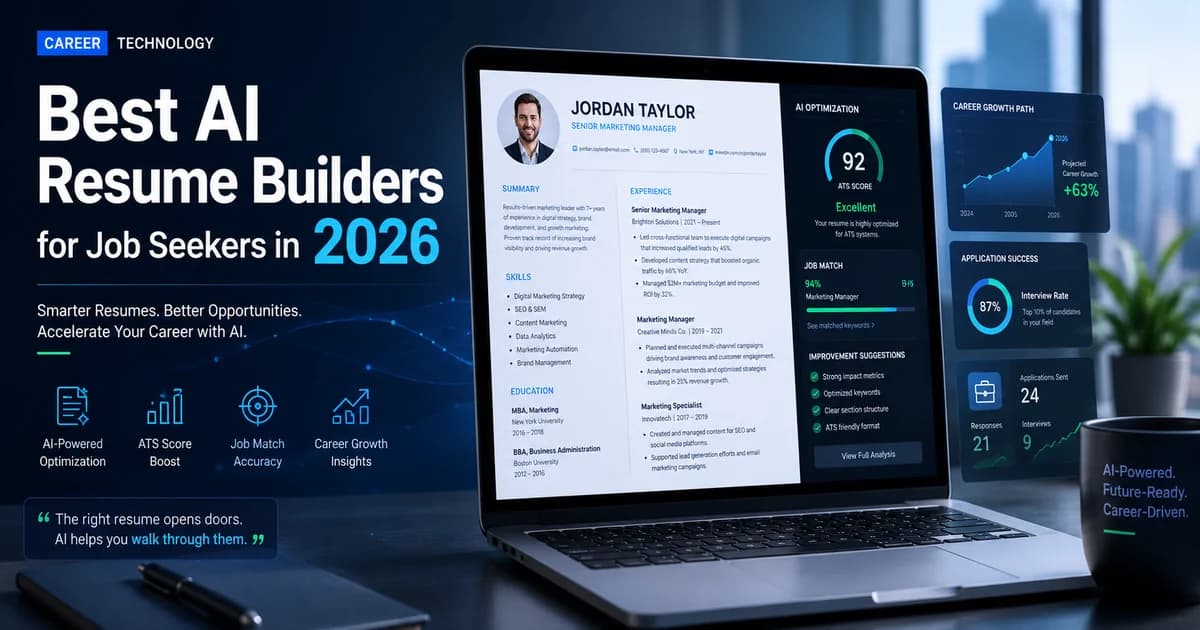
Best AI Resume Builders for Job Seekers in 2026: Beat the ATS
Stop getting rejected by Applicant Tracking Systems. Discover the best AI resume builders in 2026 that will optimize your CV, tailor your cover letter, and land you more interviews.

Best AI Tools for Teachers in 2026: Reclaim Your Time and Transform Your Classroom
An in-depth guide to the best AI tools for teachers in 2026. Discover how to automate grading, generate lesson plans instantly, and personalize student learning.
ChatGPT vs Gemini in 2026: The Ultimate AI Showdown
An in-depth, technical comparison of ChatGPT vs Gemini in 2026. We break down their reasoning engines, ecosystem integrations, and which AI you should actually pay for.